

The master prompt
A 12-step prompt that turns Claude Code into a senior product designer, UX strategist, and front-end architect. Copy it. Paste it. Watch it explore your repo before talking. Read it →
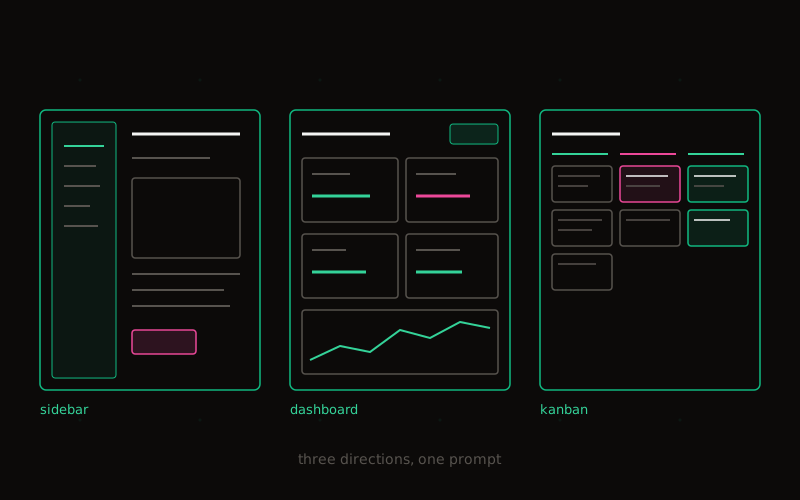
You know a screen feels cluttered. You know users need “some kind of menu thing.” You don’t know whether to ask for a sidebar, command palette, accordion, drawer, tabs, popover, or split-pane.
So you type “make it better.” And Claude returns the first plausible thing. It looks like a prototype.
HackerX gives you the language to ask for outcomes — and the verification loop to know you got them.
The master prompt
A 12-step prompt that turns Claude Code into a senior product designer, UX strategist, and front-end architect. Copy it. Paste it. Watch it explore your repo before talking. Read it →
42 patterns named
A vocabulary cheat sheet across navigation, disclosure, dashboard, productivity, layout, and feedback. Each row is a sentence stem you can drop into a prompt. Open the cheat sheet →
A skill that runs the loop
The ui-pattern-picker skill activates on vague requests, returns three options with tradeoffs, and asks for approval before coding.
Install in 10 seconds →
Verification you can trust
Typecheck. Lint. Responsive at 375 / 768 / 1280. Keyboard nav. Focus visible. Screenshots. “Done” doesn’t mean “compiled.” The 8-step OS →
Explore → Diagnose → Generate options → Pick a direction → Plan → Implement small → Verify → Teach yourself the vocabularyYou don’t ask Claude Code to make the dashboard better. You ask it to act like a product designer, UX strategist, front-end engineer, accessibility reviewer, and QA tester — all in one workflow.
Four sample apps designed using the HackerX workflow — different stacks, different audiences, the same loop.
Field notes on shipping UI with Claude Code. The vocabulary, the prompts, the verification loop.
A practical setup for putting Claude Code and OpenAI Codex on the same job, with clear ownership, real review, and evidence before the work is called finished.
Vocabulary, prompts, the OS, and the skill — together they turn AI tools into product-quality work, not prototypes.
Claude Code reinventing components is the number-one way codebases drift. Here is the CLAUDE.md that stops it.
npx hackerx initThat drops CLAUDE.md and .claude/skills/ui-pattern-picker/ into your project. Open Claude Code. The next ambiguous UI request gets three options instead of one mediocre one.
Stop asking Claude Code to “make it better.” Know the name of every UI pattern you’ve been pointing at vaguely. Get three design directions for every screen instead of one mediocre one. Have a verification loop that runs every time. Reuse components instead of inventing new ones. Teach yourself the vocabulary as you ship.
That’s the difference between vibe coding and product-level AI development.